
Issuers: Launching a currency, fee splits, and Mint Operations
Before you start, sign in and open Digital Wallets / Issuing / Issuer Operations.
Can’t find it? It may be turned off for your business, or your account may not be allowed to open it. Ask the person who set up your FeePrime. They can fix both.

Photo: TheStandingDesk on Unsplash
Clarisse Mbarga runs Manna Finance in Douala, a licensed issuer of FCFA-pegged digital wallet money. Every morning, Wouri Microfinance wires physical bank funds into Manna Finance’s reserve account so field agents like Alain Fokou at Kiosk Bonapriso can top up customers, and shops like Sunrise Bakery can receive payments from Hôtel Akwa.
If you run an issuing treasury on spreadsheets and WhatsApp confirmations, three things break fast. Someone mints digital FCFA before the bank wire clears. One clerk requests and approves a 25,000,000 FCFA mint with nobody checking the slip. Or a staff member opens a customer’s transaction history quietly with no record of why they looked.
FeePrime’s Digital Wallets / Issuing workspace stops all three mistakes at the door. Every franc minted is tied to a bank-backed request with mandatory dual approval, fees split automatically across your network, and every customer statement requires a written reason and approval before a single line is visible.
1. How a Currency Issuer grant turns on your Issuing workspace
Ordinary FeePrime businesses—like Sunrise Bakery or Hôtel Akwa—never see the Issuing menu group. Issuing digital money is a regulated role, so an organisation cannot turn it on for itself inside Settings.
Instead, the FeePrime platform backoffice registers Manna Finance under Organisations / Grants / Currency Issuers. That single grant record unlocks Digital Wallets / Issuing inside Manna Finance’s workspace and locks in the core facts of your currency:
- Business wallet account number and organisation name: Ties the grant to Manna Finance’s exact business profile.
- Currency code and name: Defines the real currency your digital wallet money is pegged to (for example,
FCFA/ Central African CFA franc). - Decimal places and display formatting: Sets
0decimal places for FCFA, plus any optional prefix or suffix. - Fee schedule and revenue split: Sets the send fees, cash-out fees, cash-in commissions, and how revenue divides across the network.
Never try to fake an issuer setup using regular cash accounts or custom products. Without a platform-issued Currency Issuers grant, your organisation will not have access to Mint Requests, distributor float controls, KYC verification, or the public Wallet Portal.
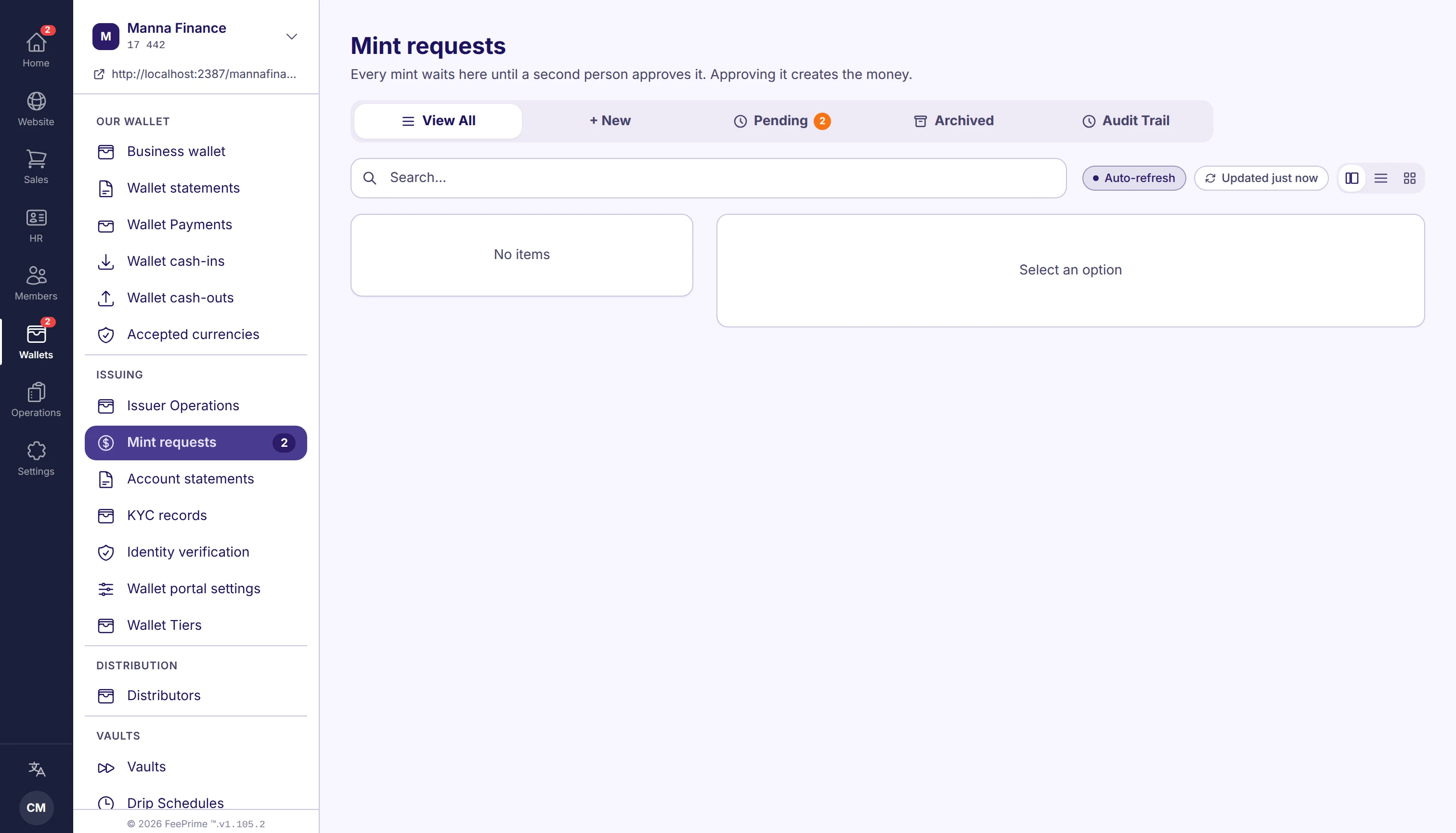 Issuer Mint Requests and controlled currency issuance workspace under Digital Wallets / Issuing.
2. Why customers always see real FCFA, never raw token codes
When Clarisse launches Manna Finance’s wallet in Douala, customers do not want to do mental maths at a bakery counter. If Grace Ewane at Sunrise Bakery opens her phone and sees 150,000 TFCFA or a banner saying 1 TFCFA = 1 XAF, she will hesitate—and Hôtel Akwa’s accountant will ask whether they are dealing with real money or a voucher.
FeePrime enforces one clear rule everywhere—on the Wallet Portal, on business wallet balances, on payment prompts, and on agent receipts:
- Pegged wallet money always displays the real currency it is pegged to, paired with the issuer’s name.
- Grace sees 150,000 FCFA with Manna Finance named clearly as the issuer—never an internal token code.
- Even when a payer holds zero personal balance in that currency, business send and confirmation screens still display amounts cleanly in FCFA.
Train your support and agent teams to speak in real currency, never token jargon. Say “50,000 FCFA in your Manna Finance wallet”, not “50,000 digital tokens”. Trust in a pegged wallet starts with money that reads like money.
3. How the platform-owned 4-way fee split works
A digital wallet network only stays alive when everyone carrying risk and cash earns their fair share automatically—with zero end-of-month arguments over spreadsheets.
On Manna Finance’s Currency Issuers grant, the FeePrime platform backoffice configures the exact fee rules: transfer fees (percentage, minimum, and maximum), cash-out fees, cash-in commissions, and the percentage shares for Platform and Issuer. Manna Finance can inspect these rates read-only, so no local staff member can quietly alter prices or create surprise charges for agents.
Every time a customer transacts—say, cashing out 100,000 FCFA with Alain Fokou at Kiosk Bonapriso—the fee splits cleanly across four parties:
Customer Transaction Fee (Send / Cash-In / Cash-Out)
                      |
   +------------------+------------------+------------------+
   v                  v                  v                  v
Platform            Issuer          Distributor        Field Agent
(FeePrime)      (Manna Finance)  (Wouri Microfinance) (Alain Fokou)
- Platform receives its configured platform share.
- Issuer receives Manna Finance’s issuer share for backing and governing the currency.
- Distributor receives Wouri Microfinance’s share for managing regional liquidity and supervising agents.
- Field Agent receives Alain Fokou’s share for holding physical banknotes and serving walk-in customers.
Never promise an accredited distributor a custom fee rate before confirming it with FeePrime backoffice. Because fee schedules live on the grant record and are read-only inside your issuing workspace, any change must be agreed and updated at the platform level.
4. Handling Distributor Mint Requests and Mint Operations
Manna Finance does not hand cash directly to walk-in shoppers. Accredited distributors—like Wouri Microfinance, led by Ibrahim Bello—wire real FCFA into Manna Finance’s reserve bank account and request digital float to supply their branches and field agents.
You handle this daily flow across two screens under Digital Wallets / Issuing: Mint Requests and Issuer Operations.
Wouri Microfinance wires 25,000,000 FCFA to Manna Finance's reserve bank
                                  |
                                  v
Treasury Clerk logs Mint Request (distributor wallet, amount, notes, bank-slip photos)
                                  |
                                  v
Second Authorised Officer verifies cleared bank deposit & approves
         (Requester can NEVER approve their own mint request)
                                  |
                                  v
FeePrime stamps permanent Ledger Entry ID -> 25,000,000 FCFA float credited
Each Mint Request captures the exact audit package your central bank examiner will ask for:
- Currency and Distributor Wallet (plus Distributor Name, e.g. Wouri Microfinance)
- Amount to mint (for example,
25,000,000 FCFA) - Notes (bank reference number, value date, branch note)
- Photos (uploaded scans or clear phone photos of the bank wire confirmation, copied directly onto the ledger entry)
- Ledger Entry ID (stamped automatically by FeePrime at the moment of approval—no human can type or fake it)
Use Issuer Operations to log treasury notes and attach supporting reserve documentation alongside your issuing activity.
Three minting mistakes you must never make: - Never mint before the bank deposit has actually cleared. A screenshot of a pending transfer is not cleared reserve cash. - Never expect the person who requested a mint to approve it. FeePrime enforces strict dual control on Mint Requests: whoever asked can never be the person who approves, even if your organisation’s Settings / Access / Spending Controls allow self-approval elsewhere. - Never skip uploading the bank-slip photos. Mint requests cannot be edited after submission. If the amount or distributor wallet is wrong, archive the request and create a clean one instead of patching the story in chat messages.
5. Pulling audited Wallet Account Statements
Suppose Sunrise Bakery calls Manna Finance’s desk about a disputed payment from Hôtel Akwa, or Compliance needs to review Alain Fokou’s October cash-in and cash-out movements. You do not ask an engineer to query a database. You open Digital Wallets / Issuing / Account Statements and create a formal statement request.
Fill in four fields:
- Wallet Number: As you type the wallet number, FeePrime resolves it live and displays the holder’s real name. Check that name before you submit. It catches a single mistyped digit before you waste a manager’s time approving the wrong person’s account.
- Start Date and End Date: Choose the exact review window (for example,
1 Octoberto31 October). - Reason: Write a clear compliance or operational reason—for example, “Customer dispute ticket #418 from Sunrise Bakery regarding Hôtel Akwa invoice settlement on 14 Oct”.
Because an account statement opens a customer’s private financial history, every statement must be approved before anyone can read it. Your checker reads your Reason, verifies you have a legitimate business need, and approves or rejects. Whether the author can approve their own statement follows your organisation’s separation-of-duties rule in Settings / Access / Spending Controls.
Once approved, FeePrime computes the balances and movements once and freezes them inside the saved statement record. You can reopen it, export it, and hand it to an auditor months later knowing the numbers have never shifted.
- Never type a lazy reason like “check” or “test”. Your compliance checker should reject vague requests on sight.
- Archive outdated requests—never expect to edit an approved statement. If you need a wider date range, create a new statement request with its own reason.
6. Lean issuer desk vs full treasury and compliance team
- Lean licensed issuer (1 distributor, small team): Clarisse and one finance officer split maker and checker duties. Keep Mint Requests strictly two-person (enforced by FeePrime anyway), attach every bank receipt photo, and require a short ticket reference in every Account Statements reason.
- Larger issuer (multiple branches and distributors): Pair Digital Wallets / Issuing with separate roles in Settings / Access / Spending Controls so treasury clerks only initiate mints and statements, treasury managers approve mints, and an independent compliance officer approves every Account Statement before customer histories open.
Try it
Practice on staging.feeprime.com—a practice copy of FeePrime, kept apart from the real thing:
- Sign in to the Manna Finance staging issuer workspace and open Digital Wallets / Issuing / Issuer Operations to confirm the Issuing group is active.
- Check your currency display on the dashboard and confirm balances read in real FCFA with the issuer name—never a raw token code.
- Open Digital Wallets / Issuing / Mint Requests, inspect a pending distributor request from Wouri Microfinance, and check the attached bank-slip photos and distributor wallet details.
- Open Digital Wallets / Issuing / Account Statements, type a test wallet number, watch the holder’s name resolve live, enter a 7-day date range, and write a clear audit reason.
- Switch to a second user with checker rights, approve the statement, and reopen the frozen report to verify the figures stay locked.
Finish those five checks once, and your issuing desk is ready for real reserve money and clean audits.