
Deliveries and transport
Before you start, sign in and open Stock / Movements / Deliveries and Stock / Movements / Shipments.
Can’t find one? It may be turned off for your business, or your account may not be allowed to open it. Ask the person who set up your FeePrime. They can fix both.
Photo: Martijn Vonk on Unsplash
Picture a Tuesday morning at Sunrise Bakery in Akwa. At 6:30 AM, Junior loads the delivery van with orders for six customers—400 croissants for Hôtel Akwa, pastry trays for Nadège Fouda’s café in Bonapriso, bread crates for the Marché Central stall, and three smaller shops across town.
At 9:15 AM, Hôtel Akwa phones Amina the manager. Their breakfast buffet opens in fifteen minutes and the croissants are not there. Without a delivery record, Amina is guessing. Did Junior leave late? Is the van stuck in traffic? Did he reach the gate, find nobody there, and drive on?
Worse, when Sunrise Bakery pays an outside motorbike rider 6,500 XAF to drop off a small order across town, that receipt gets tossed into general expenses. Months later, nobody realises those far-away orders are losing money on every trip.
Deliveries solve both problems. They turn every trip out of your yard into a clear record: what left, who drove it, what happened along the way, and what the journey actually cost.
1. Shipments move stock; deliveries track the journey
People mix these two up on day one, so keep the split simple:
- A shipment is the goods leaving your warehouse for one customer. The shipment is what moves your stock.
- A delivery is the trip itself—the van, the motorbike, or the carrier carrying those shipments from your door to the customers.
One delivery can carry a single urgent shipment, or it can carry six shipments going out in the same van.
Shipment #1 (Hôtel Akwa — 400 croissants)   ─┐
Shipment #2 (Nadège Fouda — pastry trays)   ─┼──▶  1 Delivery (1 van, 1 driver, 1 trip cost)
Shipment #3 (Marché Central — bread crates) ─┘         │
                                                       ├── Picked up ──▶ In transit ──▶ Arrived ──▶ Completed
                                                       ├── Failed (with reason)
                                                       └── Cancelled (with reason)
Think of it this way: shipments answer what left your stock and for whom; deliveries answer how it travelled and whether it arrived.
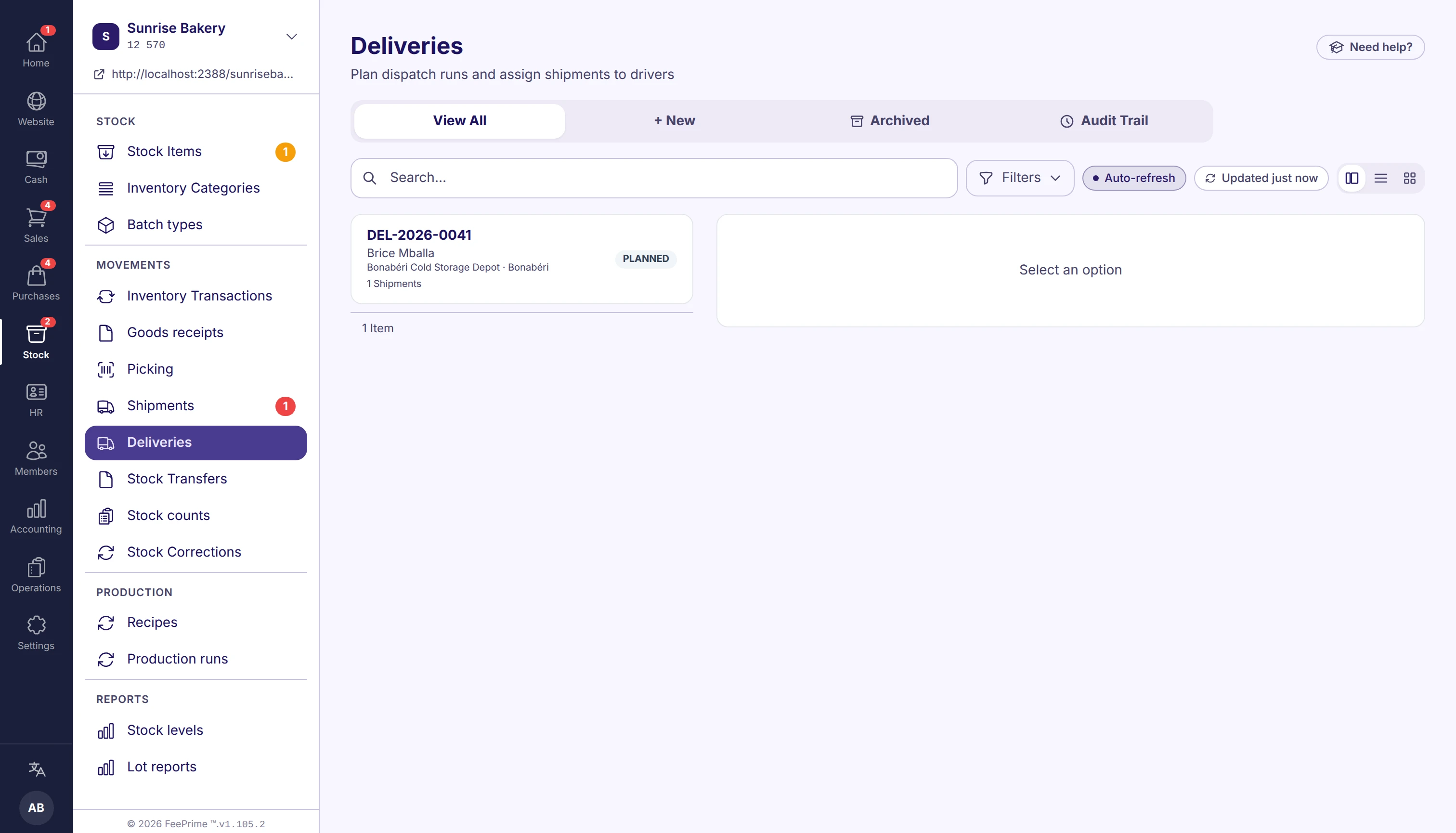 deliveries screen in FeePrime (Sunrise Bakery).
2. What goes onto a delivery record
When you open Stock / Movements / Deliveries and create a new delivery, you capture the real facts of the trip in one place:
- Delivery number and planned date: The reference your team uses when a customer calls, and the day the run is scheduled to go out.
- Shipments: The one or more shipments loaded onto this vehicle.
- Place it leaves from: The bakery, shop, or warehouse where the driver picks up the goods.
- Driver: Either pick a regular driver saved in Sales / Customers / Contacts, or simply type a driver name straight onto the delivery when you use a one-off rider for the afternoon.
- Vehicle registration: The plate number of the van, truck, or motorbike carrying the load.
- Carrier: If an outside transport company or courier moves the goods instead of your own staff, record the carrier here.
- Transport cost and currency: What the journey costs, and in which currency you are paying it.
- Pickup date, time, and notes: When the goods were collected, plus practical notes the office or driver needs—such as “use the kitchen entrance before 8:00 AM” or “call Nadège ten minutes ahead.”
One shop, walk-in customers only? Leave Deliveries turned off—nothing breaks. You only need this screen once goods leave your premises in your own vehicles or with outside carriers.
3. Update the journey honestly as it happens
A delivery moves through four normal stages:
- Picked up: The driver has loaded the shipments and signed them out of your warehouse or kitchen.
- In transit: The vehicle is on the road.
- Arrived: The driver has reached the destination.
- Completed: The goods have been handed over and the run is finished.
Not every trip finishes cleanly. A delivery can also end in two other ways:
- Failed, with a reason: The driver went out and tried to deliver, but could not complete the handover.
- Cancelled, with a reason: The planned trip was called off before it was carried out—for instance, Hôtel Akwa phoned to cancel an afternoon event before the van left Akwa.
Keep these stages honest as the day unfolds. Somebody in your office is answering the phone when a customer asks where their goods are. They can only tell the truth if the delivery record reflects what is really happening on the road.
4. Why a failed delivery is your most valuable record
Failed, with a clear reason, is the most useful stage on the screen. It is also the one teams skip most often, because it feels faster to quietly change the date or book the trip again.
Never quietly rebook a failed run without marking the first attempt Failed.
Suppose Junior rides out to Bonapriso at 8:00 AM and finds Nadège Fouda’s shutters locked. Or a first-time client gave the wrong street direction. Or the Akwa van has a flat tyre halfway up the road. Write that down on the delivery and mark it Failed.
Then create a fresh delivery for the next attempt.
Why bother? Because after a month of honest failure reasons, patterns jump off the page:
- One customer is never open before 10:00 AM.
- One neighbourhood needs early morning slots before traffic locks up.
- One ageing van keeps breaking down on heavy runs.
If you quietly rebook without logging the failure, your records show one smooth Completed delivery—and zero memory of the three wasted trips, extra fuel, and angry phone calls it took to get there.
5. Record transport cost—and its currency—on the delivery
Do not let delivery costs disappear into general expenses.
Take a concrete example. Sunrise Bakery sells 25,000 XAF of pastries to a client on the far edge of Douala. After flour, butter, and baking costs, Amina makes 5,000 XAF of profit on the order. To get it there on time, she pays an outside motorbike courier 6,500 XAF.
If that 6,500 XAF only ever sits in Cash / Money / Expenses under a broad “Transport” line, Amina looks at her sales list and assumes that distant client is good business. Put the 6,500 XAF directly on the delivery record instead, and the truth is unmistakable: every trip out there costs more than the order earns.
Always set the currency alongside the cost too. Local riders in Douala or Yaoundé bill in XAF, but cross-border transporters or regional freight carriers often bill in EUR, USD, or another neighbouring currency. Recording both the amount and the currency keeps the real cost of serving every route and customer visible.
6. Five mistakes that hide delivery problems
- Thinking a delivery deducts your stock. It does not. The shipment moves your stock out; the delivery records the vehicle and the trip.
- Updating every delivery at the end of the week. Stale statuses leave the office blind when customers call mid-morning.
- Marking a failed attempt as Cancelled. Use Cancelled when a planned trip is called off. Use Failed whenever a driver went out and could not hand over the goods.
- Hiding failed trips by editing the date or deleting them. Mark the failed run Failed with the real reason, then create a fresh delivery for the retry.
- Leaving transport cost blank for outside carriers. Record the cost and currency on every paid run so unprofitable areas cannot hide in general expenses.
Try it
Open staging.feeprime.com—a practice copy of FeePrime, kept apart from the real thing—and run one practice delivery in five minutes:
- Open Stock / Movements / Deliveries and click to create a new delivery.
- Attach two existing shipments (or create two quick practice shipments under Stock / Movements / Shipments first), choose the place the delivery leaves from, and enter a driver name, vehicle registration, and a transport cost in XAF.
- Move the delivery through Picked up and In transit, checking how the record reads at each stage.
- Mark the delivery Failed and type a realistic reason, such as “Shop closed on arrival at 08:15; phone unanswered.”
- Re-open the record and read it as a manager reviewing last week’s trips, then create a fresh delivery for the second attempt.
Once you have walked one run through from pickup to failure and retry, tracking real vans and riders every morning becomes second nature.