
RFQs, purchase orders, goods receipts, and bills
Before you start, sign in and open Purchases / Ordering / Purchase orders, Stock / Movements / Goods receipts, and Purchases / Paying / Bills.
Can’t find it? It may be turned off for your business, or your account may not be allowed to open it. Ask the person who set up your FeePrime. They can fix both.

Photo: Beth Macdonald on Unsplash
Every Monday morning, Amina orders 40 bags of Flour 50kg for Sunrise Bakery in Akwa. She bargains the supplier down from 25,000 XAF to 24,500 XAF a bag. Good deal.
On Tuesday afternoon, the delivery truck pulls up in heavy rain. The driver is in a rush, drops 38 bags by the store door, and hands over a crumpled slip. Junior signs it quickly so the truck can leave. Five days later, the supplier’s bill arrives for 40 bags at 25,000 XAF each — 69,000 XAF more than what actually landed in the store.
Without a paper trail that separates what you ordered, what arrived, and what was billed, most shops quietly pay that bill and wonder at month end why their flour costs keep rising. Buying is selling in reverse, and FeePrime handles it the same way: separate, linked documents where each document answers one clear question.
1. The five documents in the buying chain
Each step lives in its own place in the sidebar and links forward to the next one, so you can trace any purchase from start to finish without hunting through notebooks or WhatsApp messages.
  Purchases / Sourcing
  ┌──────────────────────┐
  │ 1. REQUEST FOR QUOTE │  "What would you charge for this?"
  └──────────┬───────────┘  Sent to one or more suppliers
             ▼
  ┌──────────────────────┐
  │ 2. SUPPLIER QUOTE    │  Their written offer + expiry date
  └──────────┬───────────┘
             ▼
  Purchases / Ordering
  ┌──────────────────────┐
  │ 3. PURCHASE ORDER    │  "We are buying this at this price"
  └──────────┬───────────┘  Marks stock as incoming (on its way)
             ▼
  Stock / Movements
  ┌──────────────────────┐
  │ 4. GOODS RECEIPT     │  What actually came off the truck
  └──────────┬───────────┘  THIS is what adds stock to your store
             ▼
  Purchases / Paying
  ┌──────────────────────┐
  │ 5. BILL              │  What the supplier says you owe
  └──────────────────────┘  Checked against order + receipt before paying
Notice where step 4 sits. Goods receipts live under Stock / Movements, not under Purchases. That is deliberate: the person at the warehouse gate who counts bags off the truck does not need access to supplier prices or payment screens just to record what arrived.
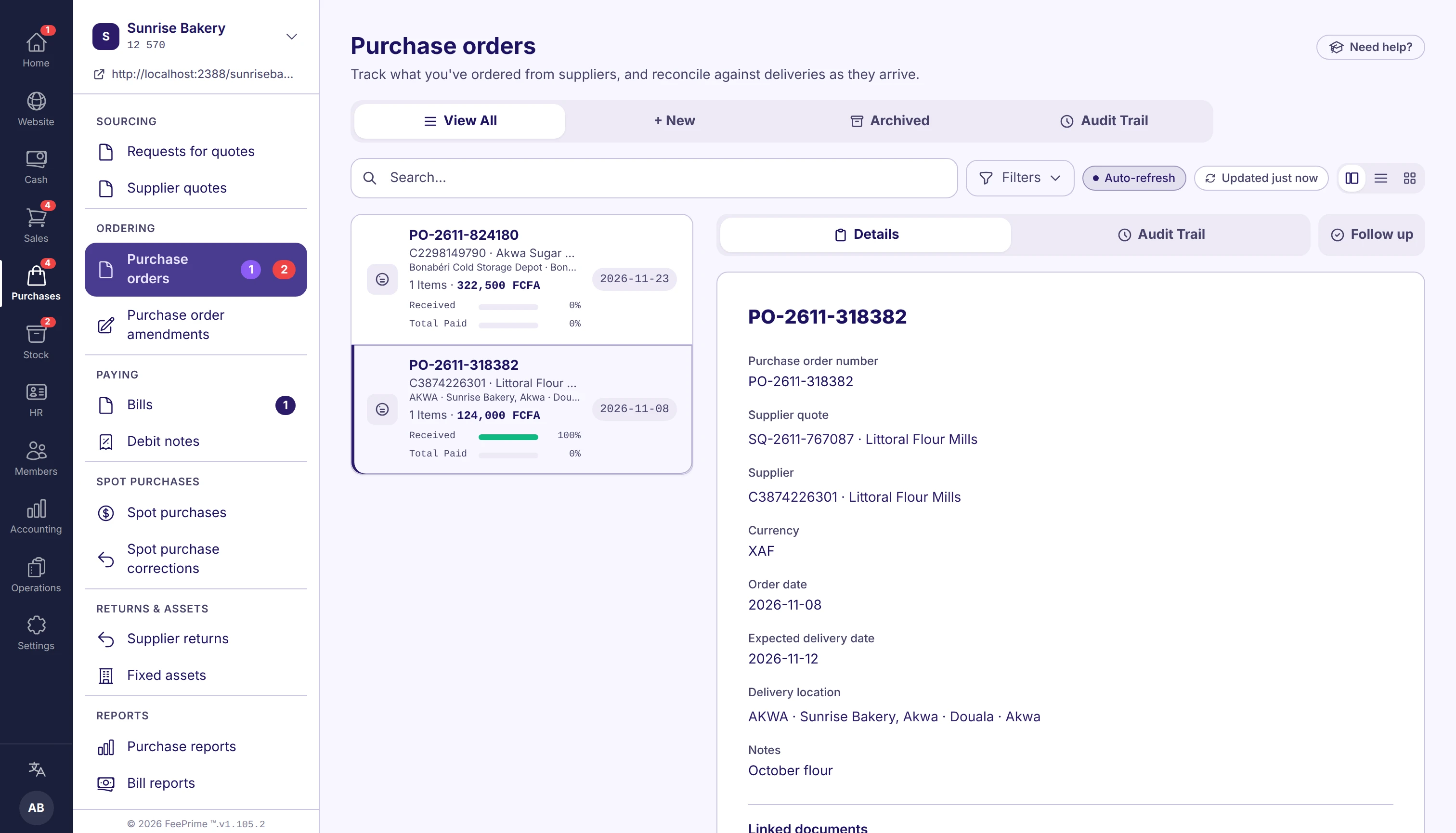 purchase orders screen in FeePrime (Sunrise Bakery).
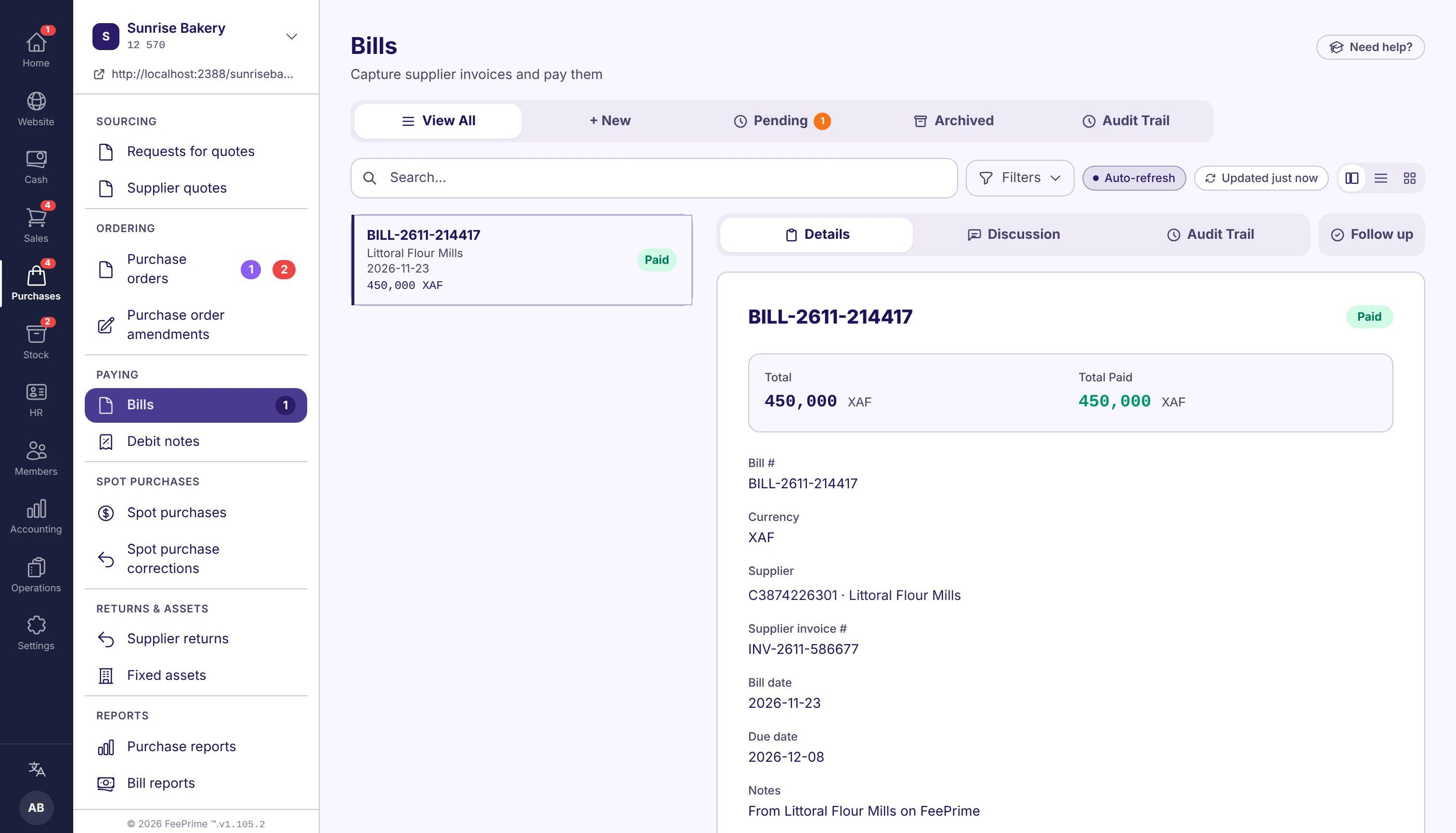 bills screen in FeePrime (Sunrise Bakery).
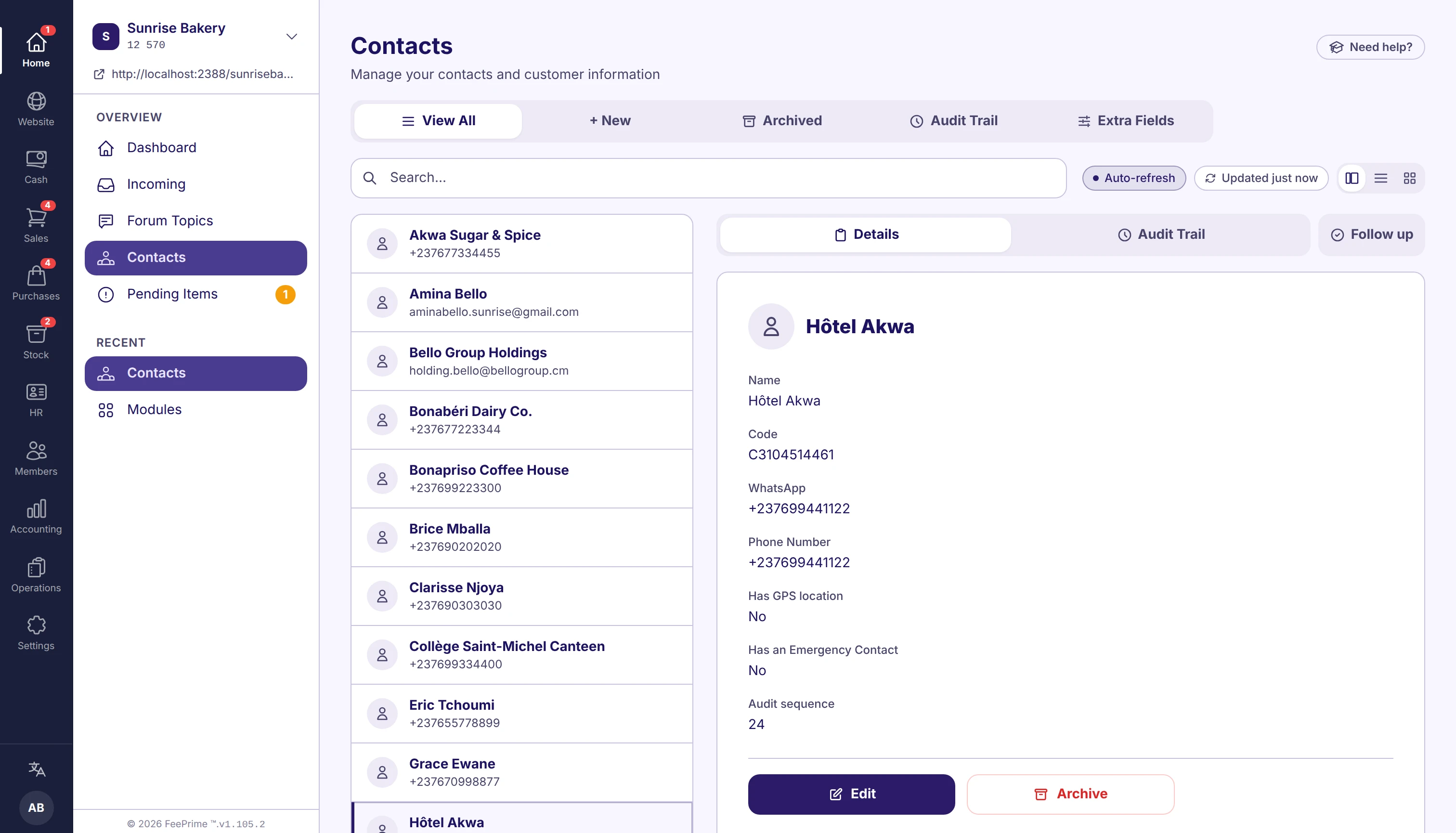 contacts screen in FeePrime (Sunrise Bakery).
2. You do not need all five steps for every buy
One of the fastest ways to make staff hate a system is forcing five forms for a 3,000 XAF purchase. FeePrime lets you match the paperwork to the size of the spend:
- Small cash runs (one shop, everyday supplies): Paul sends Junior to Marché Central for 5 trays of eggs or two packs of yeast. You do not need an RFQ or a purchase order. Use Purchases / Spot purchases / Spot purchases or enter a standalone bill under Purchases / Paying / Bills. Leave Sourcing off for these — nothing breaks.
- Regular supplier reorders: You already know the supplier and the price for Sunrise Bakery’s weekly Flour 50kg order. Start at Purchases / Ordering / Purchase orders, receive the bags with Stock / Movements / Goods receipts, and match the Bill when it arrives.
- Big orders, new suppliers, or major contracts: Sunrise Bakery wins a conference contract for Hôtel Akwa and needs 300 bags of specialty flour plus packaging. Start at Purchases / Sourcing / Request for quotes so three wholesalers compete in writing, record their replies under Purchases / Sourcing / Supplier quotes, and turn the best offer straight into a purchase order.
Small shop with no competitive bidding? Ignore Sourcing for now. Start with Purchase orders, Goods receipts, and Bills (or Spot purchases for market runs). The extra steps wait quietly until you grow into them.
3. The three-way check that stops overpaying
The whole reason buying uses three core documents instead of one is the oldest money-saving habit in commerce: the three-way check.
Before a single franc leaves your cash box or bank account, you compare three facts side by side:
  PURCHASE ORDER (agreed)     40 bags  ×  24,500 XAF  =    980,000 XAF
  GOODS RECEIPT  (arrived)    38 bags  (2 bags short at the gate)
  SUPPLIER BILL  (charged)    40 bags  ×  25,000 XAF  =  1,000,000 XAF
  ────────────────────────────────────────────────────────────────────
  CAUGHT BEFORE PAYING:  2 unreceived bags + 500 XAF price creep/bag
                         = 69,000 XAF saved (before 19.25% TVA)
- The Purchase order proves what you agreed to buy and the exact unit price.
- The Goods receipt proves what actually reached your shelves in usable condition.
- The Bill shows what the supplier is asking you to pay.
When all three agree, pay the bill with confidence. When they do not, stop and resolve the gap before the money leaves.
Never approve a bill against a purchase order without checking the goods receipt first. Without the middle document, you are comparing a bill to an order and guessing that the truck actually delivered everything intact.
4. Which document moves stock — and why it only happens once
This is the same rule from the inventory course, seen from the buying side: each stock movement happens once, at the document that first knows the goods truly moved.
- A Purchase order does not add to on-hand stock. It marks the bags as incoming so your team knows more flour is on the way, without pretending it is already on the shelf.
- A Goods receipt adds the counted quantity to your warehouse’s on-hand stock.
- A Bill linked to a purchase order does not move stock again. The goods receipt already brought those bags in — the linked bill handles the money only.
- A standalone bill (with no purchase order or receipt behind it) does move stock into your store, because no other document has counted those items in yet.
Never fix a short delivery by typing over your stock number or editing the original purchase order. Record the exact number of sound bags that arrived on the goods receipt. That keeps your shelf count honest and leaves the missing 2 bags visibly open so the supplier either sends them on the next truck or reduces the bill.
5. Where money is really won or lost
Most business owners spend their energy negotiating hard on the purchase order — shaving 500 XAF off a bag of flour or 2% off a carton of butter. That part usually goes right because the price is written down.
Where money silently leaks out is at the receiving gate:
- The short delivery nobody wrote down because the driver was impatient.
- The quiet substitution accepted without checking whether the brand or weight matched.
- The torn bag or water-damaged carton signed off as “complete” because the store was busy.
Every one of those is real cash walking out the back door, and every one stays invisible unless the person receiving the truck counts first and records reality on the Goods receipt.
When something genuinely changes after an order or delivery, FeePrime gives you clean, traceable documents instead of erasing history: use Purchases / Ordering / Purchase order adjustments to amend an issued order, Purchases / Returns & assets / Supplier returns when damaged goods go back on the truck, and Purchases / Paying / Debit notes when a supplier owes you a reduction on a bill. Never delete an old document to cover a mistake or a dispute — the paper trail is your protection.
Try it
Open staging.feeprime.com — a practice copy of FeePrime, kept apart from the real thing — and take five minutes to trace the chain yourself:
- Open Purchases / Ordering / Purchase orders and open any existing order to see what was promised and at what price.
- Open Stock / Movements / Goods receipts and compare the received quantities on a receipt against its linked purchase order.
- Open Purchases / Paying / Bills and check how a bill linked to a purchase order matches the ordered price and received quantity.
- Glance at Purchases / Sourcing (Request for quotes and Supplier quotes) so you know where competitive quotes live when a big order comes up.
- Open Purchases / Spot purchases / Spot purchases to see the shortcut for small, everyday cash buys.
Notice how every one of those screens uses the same list layout you already know — once you understand the five-step chain, the rest of this course falls straight into place.