
Business Cash-In, Cash-Out, and Spending Controls
Before you start, sign in and open Digital Wallets / Our Wallet / Business Wallet Cash-Ins (and Settings / Access / Spending Controls).
Can’t find it? It may be turned off for your business, or your account may not be allowed to open it. Ask the person who set up your FeePrime. They can fix both.

Photo: Ali Mkumbwa on Unsplash
Sunrise Bakery earns FCFA in two worlds every week. At the Akwa counter and the Marché Central stall, customers pay in physical notes. Meanwhile, Hôtel Akwa settles its weekly pastry invoices straight into Sunrise Bakery’s Manna Finance digital wallet. On Monday morning, Amina Bello needs to move 350,000 FCFA of weekend counter cash into the bakery’s wallet so Grace Ewane can pay flour suppliers. On Friday afternoon, Paul Kamga needs 85,000 FCFA in physical cash from Alain Fokou at Kiosk Bonapriso to pay a firewood vendor who does not use a wallet.
In most growing shops, moving money between physical cash and a company account is where discipline breaks down. Someone walks to a kiosk with a handwritten slip, nobody knows who authorised the payout, or an old request gets approved twice by accident. FeePrime prevents those leaks with three clean records under Digital Wallets / Our Wallet—Business Wallet Cash-Ins, Business Wallet Cash-Outs, and Organisation Wallet Withdrawals—all governed by one shared set of Spending Controls.
1. Funding your wallet: Business Wallet Cash-Ins
FeePrime’s digital wallet infrastructure does not rely on a mobile-money gateway on-ramp. Accredited Distributors (such as Wouri Microfinance, led by Ibrahim Bello) and accredited Field Agents (such as Alain Fokou at Kiosk Bonapriso) are your physical cash on-ramp and off-ramp.
When Sunrise Bakery wants to deposit 350,000 FCFA of weekend counter cash into its Manna Finance wallet, Grace Ewane opens Digital Wallets / Our Wallet / Business Wallet Cash-Ins and creates a new record:
- Issuer (
issuer_org_id) & Currency (currency): Choose Manna Finance and FCFA. FeePrime always shows the real pegged currency alongside the issuer name—never internal token codes. - Distributor Wallet (
distributor_wallet): Enter Wouri Microfinance’s wallet account number. - Amount (
amount): Type350,000. - Handed Over By (
handed_over_by): Optional, but always fill it in (for example,Grace Ewane) so your audit trail names the person carrying the cash. - Notes (
notes): Add a short reference such asWeekend Akwa counter cash deposit.
Saving this form raises a pending cash-in request—it does not add 350,000 FCFA to your wallet yet. Grace then delivers the physical notes to Wouri Microfinance. Ibrahim Bello’s desk counts the cash and confirms the request on their distributor screen. The moment they confirm, FeePrime credits Sunrise Bakery’s wallet, fills in the Status and Ledger Entry ID (ledger_entry_id), and posts the entry in Digital Wallets / Our Wallet / Business Wallet Balances and Business Wallet Statements.
Never try to edit a cash-in record if you mistyped the amount. Cash-in records cannot be edited after creation. If Grace typed 35,000 FCFA instead of 350,000 FCFA before Wouri Microfinance confirms it, archive the wrong record and create a fresh cash-in for 350,000 FCFA.
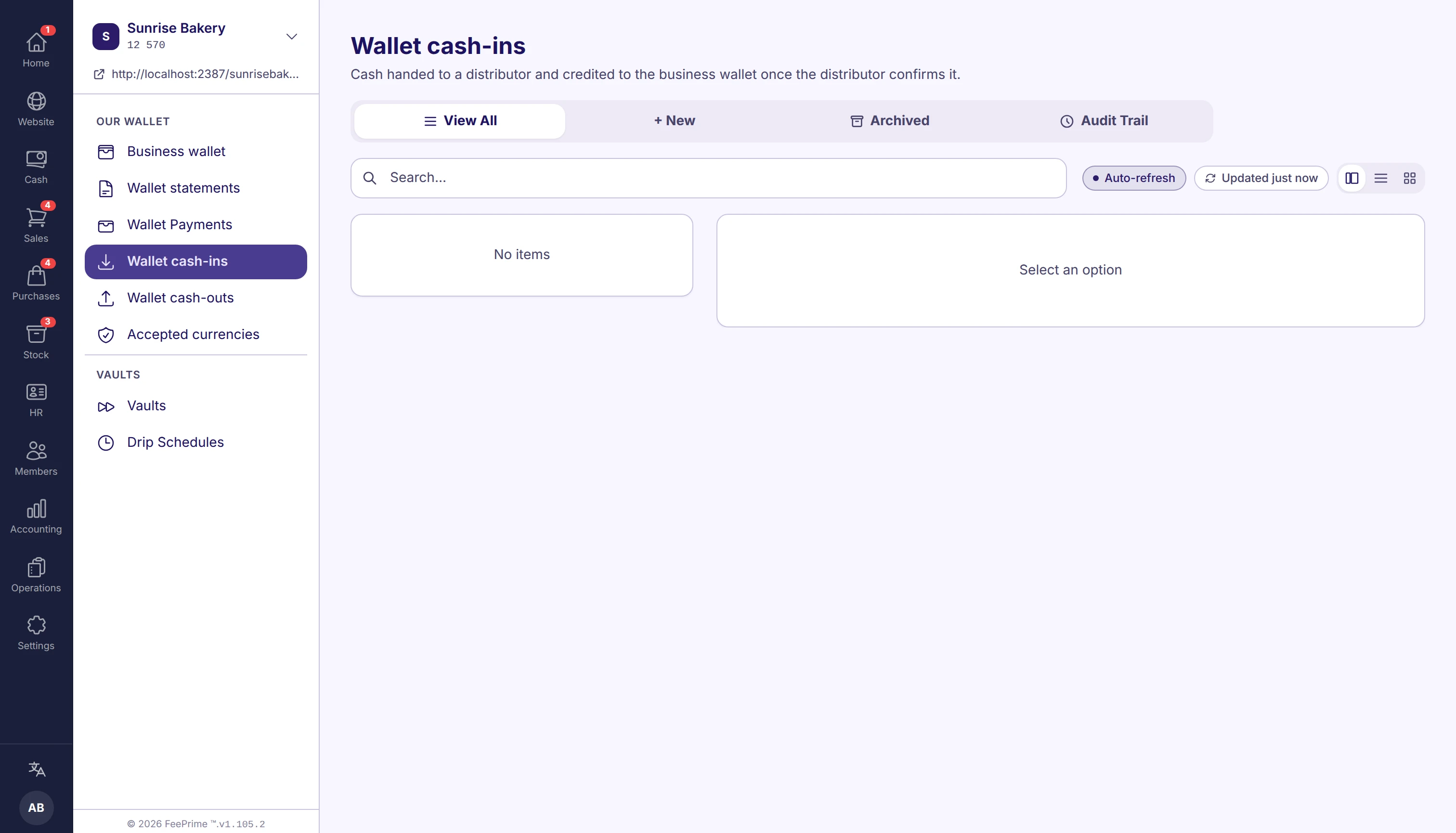 Business Wallet Cash-In requests funding the business wallet via accredited distributors and agents.
2. Taking cash out at an agent or distributor: Business Wallet Cash-Outs
On Friday afternoon, Grace needs 85,000 FCFA in notes for Paul Kamga to pay the firewood vendor. She opens Digital Wallets / Our Wallet / Business Wallet Cash-Outs—or opens the Manna Finance Wallet Portal on her phone and switches to Sunrise Bakery using the top Account Switcher. Both screens follow the exact same rules.
She fills in:
- Issuer (
issuer_org_id) & Currency (currency): Manna Finance and FCFA. - Collector Wallet (
collector_wallet): Enter Wouri Microfinance’s distributor wallet number or Alain Fokou’s Agent Account Number for Kiosk Bonapriso. Notice this field is plain text, not the person-or-business contact lookup—an agent’s counter account is separate from their personal wallet. FeePrime checks on the server that the number belongs to an active distributor or agent for that issuer and currency. - Amount (
amount):85,000. - Collected By (
collected_by):Paul Kamga. - Notes (
notes):Firewood delivery for Akwa ovens.
CASH-IN (Physical Cash -> Business Wallet)
Grace raises Cash-In ──▶ Hands cash to Wouri Microfinance ──▶ Distributor confirms ──▶ Wallet credited

CASH-OUT (Business Wallet -> Physical Cash)
Grace raises Cash-Out ──▶ Spending Controls check ──▶ Amina approves (if held)
                                                             │
                                                             ▼
Paul gets 85,000 FCFA + Alain gets receipt ◀── Paul gives 6-digit code ◀── Fee & 6-digit code issued
If the cash-out stays within Grace’s limits, FeePrime executes it immediately. If it triggers a Spending Control, it pauses and fills in Held Reason (held_reason) so Amina Bello can review it. Once approved, FeePrime moves the money once, records the Fee (fee) and Ledger Entry ID (ledger_entry_id), and displays a 6-digit Collection Code (collection_code) right on the cash-out record.
Paul walks to Kiosk Bonapriso and gives Alain Fokou that 6-digit collection code. Alain hands over the 85,000 FCFA only against that code and receives a confirmation receipt on his agent screen.
Common mistakes to avoid on cash-outs:
- Never type an agent’s personal wallet number in Collector Wallet. Always use their counter Agent Account Number (or an accredited distributor wallet), otherwise FeePrime rejects the form.
- Never post the 6-digit collection code in a shared chat group. Anyone who brings that code to the named counter can collect the notes.
- Check execution_error if a cash-out does not go through. If an agent counter is inactive or a limit blocks the move, FeePrime stops cleanly and prints the exact reason on the record instead of moving funds into limbo.
3. Withdrawing to an external rail: Organisation Wallet Withdrawals
Counter cash-outs are for picking up physical FCFA at a distributor or field agent. When Sunrise Bakery needs to move wallet funds out to a configured external payout rail instead, Amina opens Digital Wallets / Our Wallet / Organisation Wallet Withdrawals.
Each withdrawal record captures:
- Withdrawal Option (
selected_withdrawal_option_id): Pick the configured external account rail. - Destination Address (
destination_address): Enter the exact receiving account or payout destination. - Currency (
currency_code), Amount (amount), and Processing Fee (processing_fee): Confirm the exact figure and fee before submitting. - Memo (
memo): Add a clear bookkeeping note for month-end reconciliation.
Just like cash-ins and cash-outs, withdrawal records cannot be edited once submitted—double-check the destination address and amount before you click save.
4. Configuring one shared set of Spending Controls
Many businesses run into trouble because their mobile app allows one limit while their office system allows another. FeePrime eliminates that gap: Sunrise Bakery has one shared set of Spending Controls. Whether Amina updates it in Settings / Access / Spending Controls inside the ERP or inside the Manna Finance Wallet Portal (after switching to Sunrise Bakery in the Account Switcher), the same rulebook binds both places immediately.
Start by giving every teammate the right Business Wallet role:
- Owner (Amina Bello): Full control—adds teammates by personal wallet number, edits Spending Controls, and approves held requests.
- Approver (Amina Bello or a senior deputy): Reviews held spend and makes the approval decision.
- Payer (Grace Ewane): Initiates cash-outs, supplier payments, and transfers. Even if Grace holds zero personal Manna Finance FCFA in her own wallet, FeePrime still shows the business payment cleanly in FCFA on her send and confirm screens.
- Viewer (e.g., Sunrise Bakery’s outside accountant): Reads balances and statements without initiating or approving spend.
Then set the four controls that guard your balance:
- Personal caps: Set the maximum amount a Payer like Grace can move without asking Amina (for example,
50,000 FCFA). Anything above the cap is automatically held for an Approver. - New-recipient hold: Require an Approver the first time a Payer sends or cashes out to an unfamiliar wallet or agent counter—even if the amount is below their personal cap.
- Held-spend expiry (TTL): Choose how long an unapproved request remains valid (for example, 24 hours). If Friday’s held 85,000 FCFA cash-out is not approved in time, it expires cleanly so nobody can accidentally approve a week-old request on Tuesday.
- One decision per held payment: When Amina opens a held request in the ERP or on her phone, she sees readable labels, who is being paid, the exact FCFA amount, and why it was held. She gets one final decision—approve or reject. Once decided, the record locks so two managers can never double-approve the same payout.
Payer initiates spend (Cash-Out / Payment / Standing Vault Order)
               │
               ▼
Within personal cap AND known recipient?
       ├── YES ──▶ Executes once immediately (ledger entry + code/transfer)
       └── NO  ──▶ Held for Approver (shows exact held_reason)
                         │
           ┌─────────────┼─────────────┐
           ▼             ▼             ▼
       Approved       Rejected    TTL Expires
   (Executes once)  (Closed, no    (Auto-closed,
                     money moved)   must re-submit)
One small shop or several branches? - One shop, owner-operated: If you are the only person moving money as Owner, you do not need tight daily caps—leave them generous and nothing breaks. The day you add your first cashier as a Payer, turn on New-recipient hold and a sensible personal cap. - Multi-branch business (Akwa bakery + Bonapriso shop): Give branch clerks the Payer role with tight personal caps, keep New-recipient hold on, set a 12-to-24-hour held-spend expiry TTL, and remember that these exact same Spending Controls also protect your wallet bill payments, payroll runs, and automated vault schedules.
Never share the Owner login with a Payer to skip approvals. Doing so breaks maker-checker separation and hides who really initiated or approved a cash-out.
Try it
Practice the full cash-in, cash-out, and approval loop on staging.feeprime.com—a practice copy of FeePrime, kept apart from the real thing.
- Sign in to staging.feeprime.com and open Settings / Access / Spending Controls.
- Set a Payer personal cap of
50,000 FCFA, switch on New-recipient hold, set a Held-spend expiry TTL of 24 hours, and save. - Open Digital Wallets / Our Wallet / Business Wallet Cash-Ins and create a
100,000 FCFAdeposit request to a distributor wallet, naming who handed over the cash; confirm it stays pending until the distributor confirms. - Open Digital Wallets / Our Wallet / Business Wallet Cash-Outs and raise a
75,000 FCFAcash-out (above the 50,000 FCFA cap) to an active distributor or agent counter wallet; verify that it pauses with a clear Held Reason. - Approve the held cash-out as an Approver (in the ERP or via the Wallet Portal Account Switcher), verify that the 6-digit collection code and Fee appear on the record, and check the deduction in Digital Wallets / Our Wallet / Business Wallet Statements.
Once you run that five-minute loop once, your team can move cash in and out of the bakery wallet every week without a single missing franc.