
Onboarding employees, probation and pay terms
Before you start, sign in and open HR / Employees.
Can’t find it? HR / Employees is turned on for every FeePrime business by default, so if it is missing from your sidebar, your account may not have permission to open it. Ask the person who set up your FeePrime. They can grant access in a minute.

Hiring someone is the easy part. Keeping track of when their probation ends, which branch they work at, how much they earn, and how you pay them is where small businesses lose hours — or lose money.
At Sunrise Bakery in Douala, Amina Bello just hired Brice Mballa as a delivery rider through HR / Job openings and HR / Applications. Before Brice takes his first crate of croissants out to Hôtel Akwa, Mireille Nkom (Sunrise Bakery’s HR & Admin Officer) opens HR / Employees to set up his record properly.
When every worker has a clean Employee record, three things happen automatically: payroll runs load the right people at the right pay, the dashboard Task Board warns you before a trial period or fixed-term contract slips past its date, and you can see at a glance exactly how much you still owe each person.
1. Link the employee to their Contact — never duplicate a person
Every Employee record in FeePrime is linked to a Contact. That separation keeps your business clean:
- The Contact holds who the person is — their name, phone number, email, and FeePrime wallet number.
- The Employee record holds how they work for you — their department, start date, probation dates, and pay terms.
Search before you add. Before Brice joined as a rider, he bought wholesale bread from Sunrise Bakery twice. He already exists in Contacts. When Mireille clicks the Contact picker on the new Employee form, she types Brice Mballa and selects his existing record. One person stays one Contact across sales, cash, and HR.
If the person truly is brand new — like a student baker starting their first internship — you do not need to leave the screen. You can add a new Contact straight from the Contact picker, and FeePrime will warn you if someone with matching details may already exist.
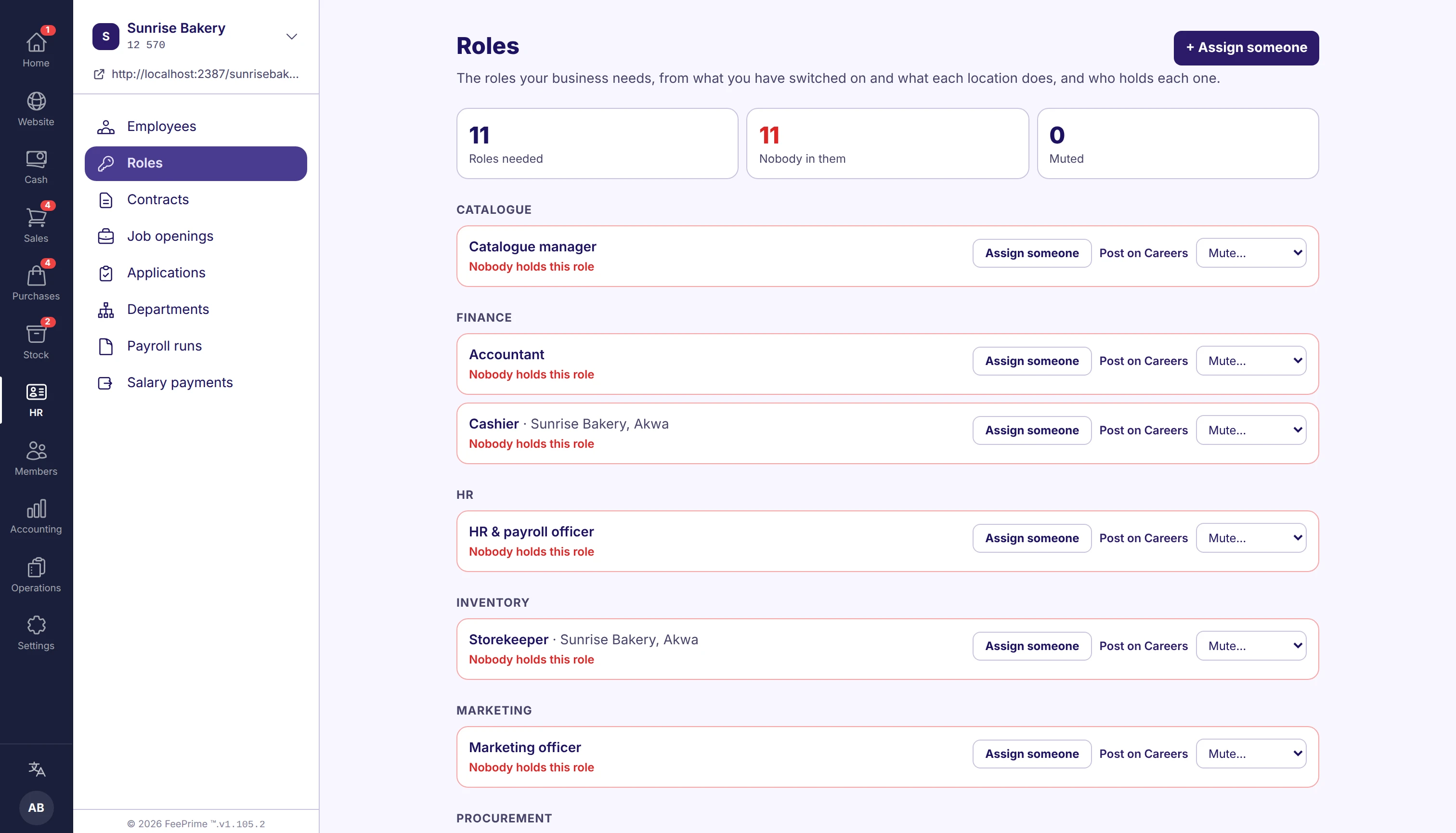 HR / Roles assigning operational roles (Production Operator, Cashier) across business locations.
2. Set the core job details: number, title, department, location, type and status
Once the Contact is linked, fill in the basics that tell FeePrime where this person fits:
- Employee number (
employee_number): A unique staff code such asSB-014. Keep a simple sequence so payslips and contracts stay tidy. - Job title (
job_title): Plain wording the team uses — Head Baker, Bonapriso Counter Cashier, or Delivery Rider. Optional, but helpful on contracts and payroll. - Department (
department): Pick an existing department from HR / Departments (such as Production, Retail, or Delivery). You pick from the list rather than typing free text, so payroll filters and reports never split Delivery and Deliveries into two buckets. - Business location (
business_location): The branch where they work — for example, Akwa Bakery, Bonapriso Shop, or Yaoundé Depot. - Employment type (
employment_type): Choose one of three options:employee— regular staff on payroll, like Paul Kamga (Head Baker) and Grace Ewane (Cashier).contractor— independent workers engaged for specific work, like an electrician rewiring the oven room.intern— trainees or students on placement.
- Employment status (
employment_status):activewhile they work for you, orinactiveonce they leave.
Never overwrite a departed worker’s record with a new hire. When Grace Ewane eventually moves on from the Bonapriso counter, Mireille sets Grace’s status to inactive (or archives her record once all balances are settled) and creates a brand-new Employee record for her replacement. Reusing an old record mixes two people’s salary history and breaks your audit trail.
Archive, never delete. Leaving an inactive record in place protects past payslips, contracts, and accounting entries.
3. Track probation and fixed-term end dates
Most HR headaches happen because a date sat in a notebook nobody checked. FeePrime puts your key employment dates right on the Employee record:
- Start date (
start_date): The first day the person begins work. - Probation (
on_trial+probation_end_date): Turnon_trialon for any new hire serving a trial period and enter theirprobation_end_date. Mireille sets Brice Mballa toon_trialwith a 90-day end date. - Fixed-term end date (
has_end_date+end_date): Turnhas_end_dateon for fixed-term staff (such as a six-month CDD or a two-month internship) and enter the final day.
One permanent baker on a CDI with no probation left? Leave both switches off. Nothing breaks. Paul Kamga has been Head Baker at Sunrise Bakery for four years, so Mireille only fills in his start_date.
Why bother filling these dates in? Because FeePrime’s Task Board watches them for you every day. As a probation_end_date or end_date approaches, FeePrime automatically raises an HR card on the dashboard so Mireille can schedule a review or renew the contract in time. And if someone is still marked active after their fixed-term end_date has passed, the Task Board flags that too so you never keep paying an expired contract by mistake.
4. Enter pay terms: currency, frequency, base salary and payment method
Scroll to the pay section to tell FeePrime how this person is paid:
- Currency (
currency): UsuallyXAFin Cameroon, or whichever currency applies to that branch. - Pay frequency (
pay_frequency): Choosemonthly,semimonthly,biweekly, orweekly. Payroll runs load active employees who match the run’s currency, location, and pay frequency — so if Akwa bakers are paidmonthlyand Yaoundé casual riders are paidweekly, each group lands cleanly in its own payroll run. - Base salary (
base_salary): The person’s regular gross pay for one period — for example,250,000 XAFmonthly for Paul Kamga, or35,000 XAFweekly for a part-time rider. Extras like transport allowances, overtime bonuses, CNPS, IRPP, or salary advances are added per period inside HR / Payroll runs, not baked into base salary. - Payment method (
payment_method): Their preferred payout channel:cash,bank_transfer,mobile_money,wallet,cheque, orother.
Small shop paying everyone monthly in cash? Just pick XAF, monthly, enter the salary, and choose cash. You can change an individual’s payment method later at any time.
Paying via FeePrime wallet? Make sure the employee’s Contact has a FeePrime wallet number. If it is missing, the Task Board raises an HR card flagging that employee so you can invite them to open a wallet well before payday.
5. Read the three live salary cards on every Employee page
Open any saved Employee record and look at the top summary cards. FeePrime calculates three live numbers per person:
  HR / Employees (pay terms: currency, frequency, base_salary)
                 |
                 v
  HR / Payroll runs  ────►  adds net pay to   [ Total accrued ]
                 |
                 v
  HR / Salary payments ──►  adds payouts to   [ Total paid ]
                 |
                 v
  Live balance owed  ────►  Total accrued - Total paid = [ Still owed ]
Suppose Mireille runs March payroll for Paul Kamga at 250,000 XAF. As soon as the payroll run posts, Paul’s cards read:
- Total accrued:
250,000 XAF - Total paid:
0 XAF - Still owed:
250,000 XAF
Two days later, Amina sends Paul 150,000 XAF by Mobile Money and records the payout in HR / Salary payments, with the remaining 100,000 XAF paid in cash on Friday. After the first transfer, Paul’s cards immediately update to Total accrued: 250,000 XAF, Total paid: 150,000 XAF, and Still owed: 100,000 XAF. Every accrual and payment nets per person automatically, just like supplier bills and supplier payments.
Never try to fix a missed or partial salary payment by changing base_salary. Editing base_salary only changes future payroll runs; it does not adjust what you owe for last month. Always settle open balances through HR / Salary payments (or a payroll correction if the accrual itself was wrong).
6. How this connects to roles, contracts and payday
Saving the Employee record is the foundation for the next three screens in HR:
- HR / Roles: Assign operational roles (like
delivery_riderorcashier) per branch so FeePrime routes Task Board work to the right person. Remember that operational roles are separate from app login permissions in Settings / Access. - HR / Contracts: Generate formal printable CDI, CDD, or internship contracts that draw directly from the person’s Employee record and assigned roles.
- HR / Payroll runs & Salary payments: You can register employees and calculate what is owed even before accounting and cashflow are switched on; when you are ready to disburse cash, bank, Mobile Money, or wallet payouts, make sure cashflow is enabled so every payment posts cleanly to your books.
Try it
Head over to staging.feeprime.com — a practice copy of FeePrime, kept apart from the real thing — and onboard a test hire in five minutes:
- Open HR / Employees and click New.
- In the Contact picker, search for an existing name first; if none matches, create a new Contact right from the picker.
- Enter a unique Employee number, choose a Department and Business location, and set Employment type to
employeeand Employment status toactive. - Fill in a Start date, turn On trial on, and pick a Probation end date two weeks from today so you can see how probation dates are stored.
- Set Currency (
XAF), Pay frequency (monthly), a Base salary, and a preferred Payment method, then save and inspect the Total accrued, Total paid, and Still owed cards on the detail page.
Once you have onboarded one person cleanly, onboarding the next ten takes under two minutes each.