
Launching your Supply-Chain Portal and onboarding Cooperatives and Farmers
Before you start, sign in and open Portal / Vendors / Portal Vendors.
Can’t find it? It may be turned off for your business, or your account may not be allowed to open it. Ask the person who set up your FeePrime. They can fix both.
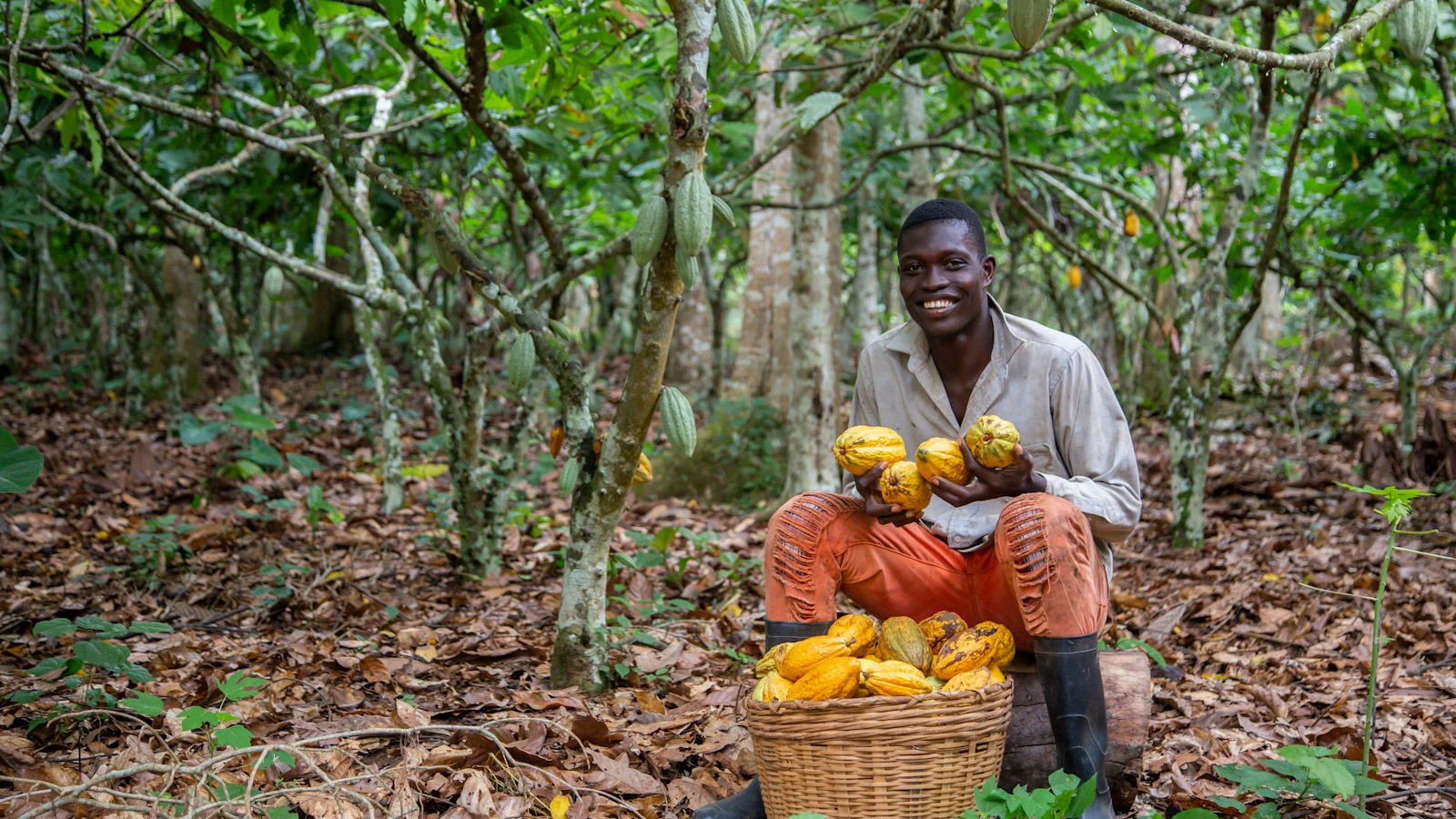
Photo: Tobias Nii Kwatei Quartey on Unsplash
Every cocoa season in Douala starts the same way for an exporter without a portal. WhatsApp fills up with half-typed Excel sheets from cooperative secretaries, blurry photos of national IDs, and phone numbers that belong to last year’s clerk. Two weeks before a container sails for Antwerp, the compliance team discovers that three cooperatives accidentally listed the same farmer under slightly different spellings — and nobody can prove which plots actually belong to which group.
Alleluia Cocoa runs a licensed export operation out of Douala under Traceability Manager Elise Njoya. Instead of chasing spreadsheets from twenty villages across the Lekié division, Elise publishes a dedicated Supply-Chain Portal at /portal/alleluiacocoa. Partner cooperatives like SCOOP Cacaoculteurs de la Lekié — coordinated by Jean Mvondo in Obala and Monatélé — register themselves, enter their own growers, and keep their farm plots up to date without ever seeing another cooperative’s data.
This lesson walks through how that portal turns on, how Elise sets her approval rules, what Jean experiences on his first visit, and how FeePrime’s approval gate protects your supply chain from bad data.
1. How your portal switches to supply-chain mode automatically
Many exporters hesitate to open a portal because they assume it will look like an online shop asking visitors to list products for retail buyers. That never happens once traceability is active on your organisation.
When FeePrime enables traceability for an exporter like Alleluia Cocoa, your organisation’s portal automatically adopts the cooperative vertical. Even before Elise opens Portal Settings for the first time, the sign-in screen and welcome banner on /portal/alleluiacocoa already use supply-chain language:
- Visitors see “Join our supply chain” instead of retail “Sell”.
- The registration door invites partners to “Register as a cooperative or farmer”.
- Both cooperatives (such as SCOOP Cacaoculteurs de la Lekié) and independent growers (farmers who deliver directly without belonging to a cooperative) can apply through the same address.
You do not need to build a custom website or design a separate intake form. Your portal address is ready the moment traceability is turned on for your business.
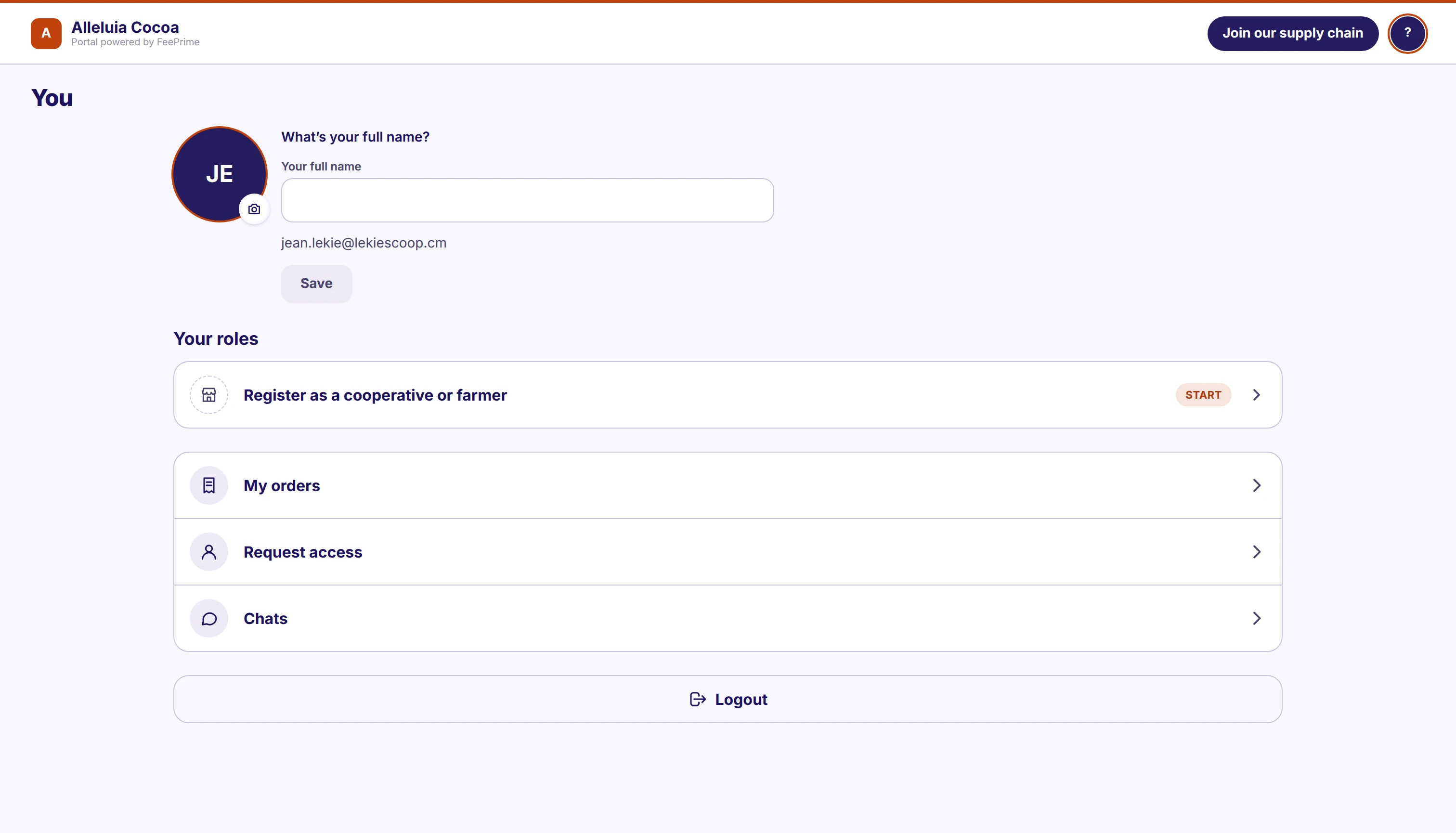 Alleluia Cocoa supply-chain portal welcoming SCOOP Cacaoculteurs de la Lekié with “Register as a cooperative or farmer” and “Join our supply chain”.
2. Setting your approval policy in Portal Settings
Before sending /portal/alleluiacocoa to your buying stations, open Portal / Vendors / Portal Settings.
Notice there is one single settings screen for your organisation — there is no “New” button to create duplicates. Every rule you save here immediately governs how your portal behaves.
If Alleluia Cocoa only runs a traceability portal, the portal type stays locked to cooperative automatically. The most important decision on this screen is your listing approval rule, which controls how much staff review happens after you approve a cooperative’s profile:
profile_only: Elise approves the cooperative’s profile once, and from then on Jean can add farmers and farm plots directly without waiting for staff review on each entry. Best for established, audited partner cooperatives you already know well.first_listing(the default): Elise approves the cooperative profile plus its first submission. Once she confirms the coordinator understands how to enter clean farmer details and plot geometry, future additions go through smoothly.every_listing: Elise’s team inspects every new farmer or plot submission before it goes live. Best when onboarding brand-new partner groups in high-risk deforestation zones where your team wants a strict checkpoint on every record.
Small exporter working with three to five trusted cooperatives? Leave the extra subscription and allowance fields blank. FeePrime uses sensible defaults out of the box, and nothing breaks if you leave optional fields untouched.
3. What a cooperative sees: one-page onboarding
When Elise shares /portal/alleluiacocoa with Jean Mvondo in Obala, Jean does not have to fill out four separate forms across four days. FeePrime guides him through one clean onboarding flow:
  /portal/alleluiacocoa
         │
         ▼  Click "Register as a cooperative or farmer"
  ┌────────────────────────────────────────────────────────┐
  │  ONE-PAGE SUPPLY-CHAIN APPLICATION                     │
  │  1. Partner type: Cooperative  (or Independent Farmer) │
  │  2. Profile: SCOOP Cacaoculteurs de la Lekié, Obala,   │
  │     phone, email, licence, ID & ownership documents    │
  │  3. First farmer + first plot right on the same page   │
  └────────────────────────────────────────────────────────┘
         │
         ▼  Submitted  ──►  LOCKED IN PENDING REVIEW
  ┌────────────────────────────────────────────────────────┐
  │  EXPORTER APPROVAL GATE (Portal / Vendors /            │
  │  Portal Vendors)                                       │
  │  Elise verifies licence & ID  ──►  Clicks Approve      │
  └────────────────────────────────────────────────────────┘
         │
         ▼  Approved
  ┌────────────────────────────────────────────────────────┐
  │  LIVE COOPERATIVE WORKSPACE                            │
  │  Jean manages ONLY his own farmers & plots             │
  │  (zero visibility into other cooperatives)             │
  └────────────────────────────────────────────────────────┘
During that single registration page, Jean enters:
- Cooperative profile details: He picks cooperative (an independent grower picks farmer), enters SCOOP Cacaoculteurs de la Lekié, his city (Obala), phone number, email, cooperative licence number, ID document, and ownership or registration document, plus a short description and logo if he has one.
- The cooperative’s first farmer and first plot: Right on the same screen, Jean enters a real grower and plot so Elise can verify both the cooperative’s paperwork and its field data quality together.
- If Jean registers Pauline Mvogo and her 2.4 ha cocoa plot in Monatélé, FeePrime allows a single GPS pin because the plot is under 4 hectares.
- If Jean starts with Joseph Essomba and his 6.53 ha cocoa farm in Obala, FeePrime enforces the EUDR boundary rule immediately: any farm 4 hectares or larger requires a closed multi-point polygon, never a single pin.
As soon as Jean clicks submit, FeePrime confirms his application was received — and holds it behind the approval gate.
4. Reviewing, verifying, and isolating cooperative records
Every new cooperative or farmer application waits for a real person on your team to review it. A public supplier profile with a phone number and farm coordinates is the easiest thing for a bad actor to spoof — or to use to slip unverified beans into a clean export consignment.
Here is how Elise handles Jean’s submission back in Douala:
- Open Portal / Vendors / Portal Vendors. Jean’s pending application for SCOOP Cacaoculteurs de la Lekié sits in the queue waiting for review.
- Check the documents before approving. Elise opens the attached licence number, ID document, and ownership document. If the cooperative checks out, she approves the profile and marks it Verified.
- Add useful tags. Elise adds clear tags such as
Lekié,Cocoa, orRainforestso her team can filter partner cooperatives quickly as the network grows from five groups to fifty. - Keep cooperative records cleanly separated. Once approved, everything Jean and his field officers submit appears in Alleluia Cocoa’s back office under Portal / Farms / Portal Farmers and Portal / Farms / Portal Farm Plots. Alleluia Cocoa’s own internally entered growers live under Traceability / Farmers and Traceability / Farm Plots. That separation lets Elise audit what cooperatives filed without accidentally overwriting her own direct-buying records.
What strict isolation guarantees: - Before approval: Jean cannot publish live farmers or plots into Alleluia Cocoa’s supply chain, and he cannot see any other cooperative’s growers. - After approval: Jean can update his cooperative’s phone number, opening hours, and description, and maintain only SCOOP Cacaoculteurs de la Lekié’s farmers and plots. He never sees another partner cooperative’s roster. - Archiving stays with the exporter: A cooperative coordinator cannot archive or delete their own approved profile. Closing a partner account that may have active cocoa lots linked to it is always the exporter’s call inside Portal / Vendors / Portal Vendors.
5. Common mistakes that break traceability early
- Never share one cooperative login across two groups. If a second cooperative in Monatélé borrows Jean’s account, their growers will be mixed under SCOOP Cacaoculteurs de la Lekié, ruining lot provenance when harvest starts. Give every cooperative — and every independent grower — its own registration.
- Never approve a cooperative blindly without opening its documents. Checking the licence number and coordinator ID takes two minutes during onboarding and saves weeks of explaining an audit failure to a European buyer.
- Never invent a fake “test farmer” on a live organisation. Use the practice environment below for training so dummy coordinates never sit inside your real export records.
- Archive, never delete. If a cooperative stops supplying Alleluia Cocoa next season, archive its profile from Portal / Vendors / Portal Vendors so past export consignments keep their historical audit trail intact.
Need help running the rest of your buying stations — such as store grading, warehouse stock movements, and export sales shipping? Read our companion course, FeePrime for an agricultural business.
Try it
Practice the full cooperative onboarding flow on staging.feeprime.com — a practice copy of FeePrime, kept apart from the real thing, where nothing you click touches live company data.
- Sign in to your practice exporter account and open Portal / Vendors / Portal Settings. Review the three listing approval choices (
profile_only,first_listing,every_listing) and savefirst_listing. - Open your organisation’s supply-chain portal link in a private browser window and confirm the welcome message invites partners to Join our supply chain.
- Click Register as a cooperative or farmer, enter a practice cooperative such as SCOOP Cacaoculteurs de la Lekié in Obala, and add Pauline Mvogo with a 2.4 ha plot on the same page.
- Return to your exporter session, open Portal / Vendors / Portal Vendors, inspect the pending application, add a
Lekiétag, and approve it. - Open Portal / Farms / Portal Farmers and Portal / Farms / Portal Farm Plots to confirm the submitted farmer and plot appear cleanly separated from your internal records.
Once you see how cleanly one cooperative flows from registration to approval, onboarding twenty more takes minutes instead of weeks.