
Memberships: Investor passes, tier-gated pitches and invoicing
Before you start, sign in and open Members / Membership / Membership Types.
Can’t find it? It may be turned off for your business, or your account may not be allowed to open it. Ask the person who set up your FeePrime. They can fix both.

Photo: Christina @ wocintechchat.com M on Unsplash
Running a curated dealroom costs real time and money. Between vetting founders, preparing data rooms, and hosting investor calls in Douala, Cédric cannot run Wouri Ventures on goodwill alone. Yet the moment a dealroom starts charging annual investor passes, spreadsheets break fast. Someone pays by bank transfer, a receipt sits in a WhatsApp chat, nobody remembers whose pass expired last month, and an unpaid guest asks for an intro to Clarisse’s confidential KokoFresh 150,000,000 FCFA Seed round.
FeePrime keeps the whole monetization loop in one place. You define your pass tiers in Membership Types, issue and renew active passes in Memberships, gate exclusive deals on the pitch itself, and bill investors cleanly in Invoices. When Dr. Samuel of Mungo Angels signs in, his portal shows his active pass dates and his own invoices—nothing manual, nothing leaked.
1. How investor passes, pitch gating and invoices fit together
Before touching any settings, keep this four-step chain in mind. Each screen does one job:
  [1. Membership Types]        Define tiers, display rank & approval rule
  Members / Membership         (e.g. Annual Angel Pass, Syndicate Lead Pass)
           |
           v
  [2. Memberships]             Assign an active pass to a vetted Contact
  Members / Membership         (starts_at -> ends_at, status = active)
           |
           v
  [3. Dealroom Pitches]        Attach access_membership_types to exclusive deals
  Portal Marketplace /         (only active pass-holders unlock & request intros)
  Dealroom / Pitches
           |
           v
  [4. Invoices / Credit Notes] Bill the pass cleanly in XAF (never edit once posted;
  Sales / Selling              correct mistakes only with a Credit Note)
Notice what stays separate: vetting an investor (Lesson 4) proves they belong in Wouri Ventures, while an active membership pass unlocks the paid tiers and exclusive pitches they subscribed to. Keeping those two checks cleanly linked means Cédric never chases screenshots to figure out who should see Clarisse’s pitch.
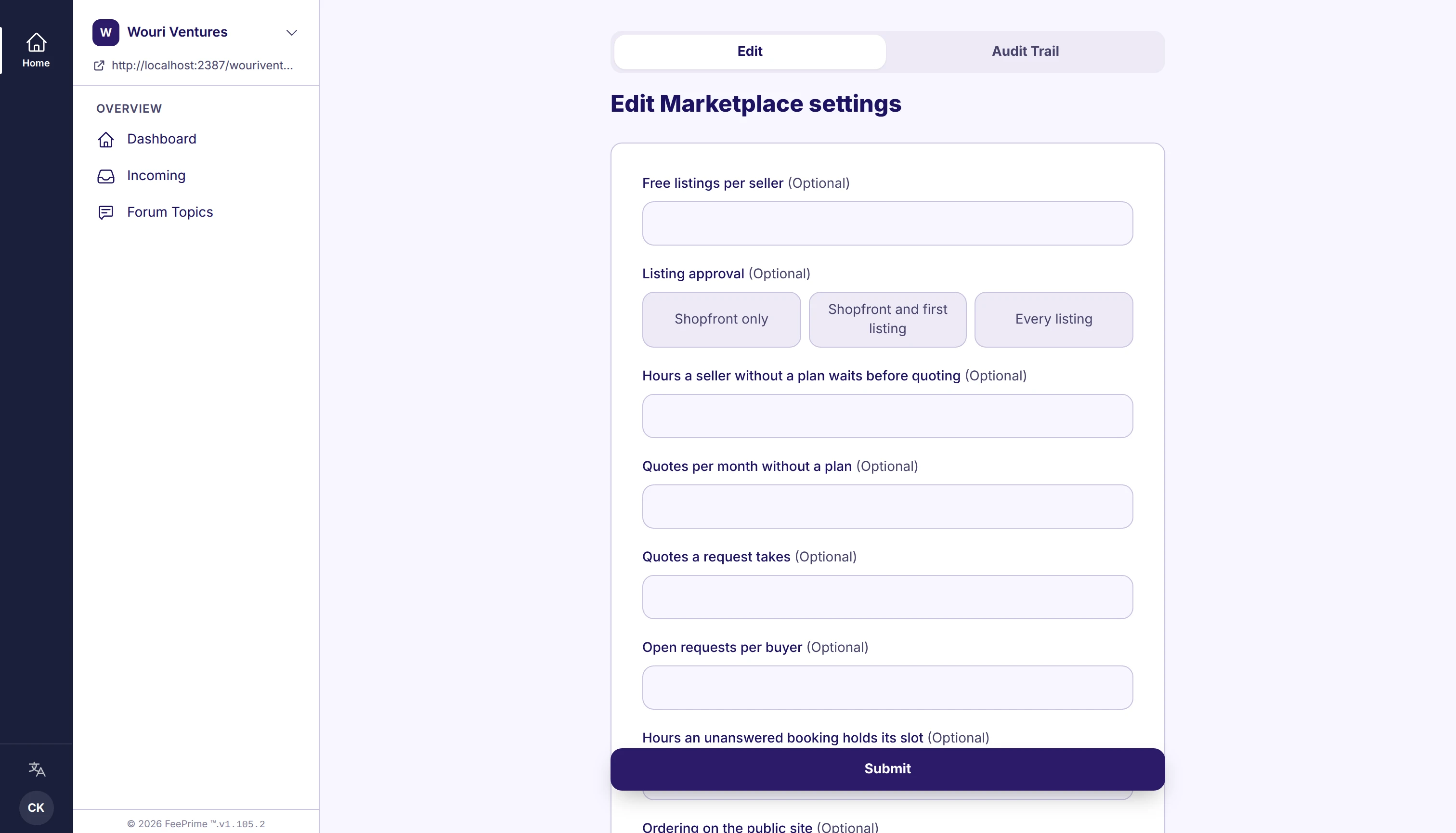 Dealroom Portal Settings controlling contributor access, Spaces membership gating, and founder onboarding rules.
2. Designing investor pass tiers in Membership Types
Open Members / Membership / Membership Types and create one record per pass tier Wouri Ventures offers. For example:
- Annual Angel Pass — 250,000 FCFA / year (individual vetted angels)
- Syndicate Lead Pass — 1,000,000 FCFA / year (syndicate leads like Mungo Angels who co-invest 15M–50M FCFA tickets)
- Diaspora Observer Pass — quarterly or annual access for diaspora investors tracking Douala deal flow
When creating each tier, pay attention to five key fields:
- Membership Name (
membership_name): Keep it plain and operator-friendly. Investors see this exact name on their portal and on tier lists. - SKU (
sku): Optional short code (for exampleWV-ANGEL-YRorWV-SYND-YR) if your accounting team groups passes by code. Running a small dealroom with two tiers? Leave SKU blank. Nothing breaks. - Rank (
rank): Controls the display order from smallest to largest (1, 2, 3) on your public tier list. Leave it blank and that tier sorts last. - Most popular (
most_popular): Highlights one flagship tier—such as Annual Angel Pass—on public pricing pages. - Private (
is_private): This is the most important switch for a dealroom. Price and admission are two separate decisions. A tier can be free and private, paid and private, or paid and open. Turning Private on means an investor applies and Cédric approves them before anyone pays. Never take payment before vetting an applicant for a private dealroom. Collecting money from someone you later reject turns a clean onboarding into a refund and an apology.
Archive, never delete or rename a retired tier. If Wouri Ventures retires an early-bird Cohort 1 Pass, archive that record in Membership Types. Never overwrite its name to create a new tier, or historical investor records will look like they bought a pass that did not exist yet.
3. Issuing and renewing investor passes in Memberships
Once Dr. Samuel is vetted and approved for Wouri Ventures, open Members / Membership / Memberships to activate his pass:
- Contact (
contact): Pick Dr. Samuel from your existing contacts. Search before you add. Creating a duplicate contact splits his pass history from his invoices and his dealroom profile. - Membership Type (
membership_type): Choose Syndicate Lead Pass (or Annual Angel Pass). - Membership Expires (
membership_expires): Turn this on for annual or seasonal passes. FeePrime then reveals Starts at (starts_at) and Ends at (ends_at) so the pass has a clear 12-month window—for example,2026-11-01to2027-10-31. - Status & Currency (
status,currency): Confirm the pass is active and in the right currency (such asXAF).
What Dr. Samuel sees on his portal: When Dr. Samuel signs in, his portal shows only his own pass details—his tier, start and end dates, expiry flag, identifier, live status, and currency. Internal payout or bank fields stay hidden from the portal automatically.
Managing renewals without spreadsheets: Check Members / Reports / Membership Reports at the start of every month to spot passes nearing their ends_at date. When Dr. Samuel renews Mungo Angels for another year, update or create the new period cleanly—never reuse an old investor’s pass record for a different person.
4. Gating exclusive pitches by membership tier
Not every pitch in Wouri Ventures needs to be gated. Early ecosystem showcases or demo-day teasers can stay open to all vetted investors. For high-conviction private rounds, tier gating protects the founder’s time and gives pass-holders clear value.
Clarisse is raising 150,000,000 FCFA for KokoFresh and wants only serious, paying angels and syndicate leads seeing the full deal and requesting intros. Cédric opens Portal Marketplace / Dealroom / Pitches, selects the KokoFresh pitch, and adds Annual Angel Pass and Syndicate Lead Pass to the pitch’s access_membership_types field.
Here is what happens automatically:
- Active matching pass (Dr. Samuel): Sees the KokoFresh pitch and can request an intro without Cédric lifting a finger.
- Expired pass or lower tier: Cannot unlock the gated pitch or submit an intro request until their pass is active on one of the listed tiers.
- Running a brand-new dealroom with free access for everyone? Leave
access_membership_typesblank on your pitches. Every vetted investor can browse freely, and you can turn gating on later when you launch paid tiers.
5. Invoicing investor passes and correcting mistakes cleanly
When a pass is approved or renewed, open Sales / Selling / Invoices to issue a proper financial document:
- Invoice Date (
invoice_date): Always first on the form. It defaults to today and controls how the invoice sorts, files, and posts to your books. - Invoice Number (
invoice_number): Generated automatically—do not invent ad-hoc numbers in Word. - Client (
client): Select the exact same Contact linked on the pass (for example, Dr. Samuel / Mungo Angels). - Due Date, Title, Currency & Items (
due_date,invoice_title,currency,invoice_items): Enter a clear title (Wouri Ventures — Syndicate Lead Pass 2026–2027), currency (XAF), line item amount (1,000,000), and any applicable Payment Terms or Payment Options.
Dr. Samuel can view and download his own invoices directly from his portal. He never sees other investors’ invoices, internal warehouse locations, or internal staff notes.
Never try to edit or archive a posted invoice. Once an invoice is posted in FeePrime, it is locked to protect your accounting trail. If Cédric accidentally bills Mungo Angels 1,000,000 FCFA instead of 250,000 FCFA, he fixes it the right way:
- Open Sales / Selling / Credit Notes and issue a credit note against the wrong invoice. Under OHADA accounting, this creates a clean reversal entry against revenue/TVA accounts (7011 / 443) and the customer receivable (4111) without erasing history.
- Issue a fresh invoice for the correct
250,000 FCFAin Sales / Selling / Invoices.
That way your books stay audit-ready, Dr. Samuel gets clean paperwork for Mungo Angels, and your team never argues over deleted PDFs.
Try it
Practice the full flow on staging.feeprime.com—a practice copy of FeePrime kept apart from the real thing—in five minutes:
- Open Members / Membership / Membership Types and create two tiers: Annual Angel Pass (
rank = 1,most_popular = true,is_private = true) and Syndicate Lead Pass (rank = 2,is_private = true). - Open Members / Membership / Memberships, pick an existing test contact, assign Annual Angel Pass, turn on Membership Expires, and set a 12-month
starts_atandends_atwindow. - Open Portal Marketplace / Dealroom / Pitches, open a draft pitch, and attach Annual Angel Pass and Syndicate Lead Pass in
access_membership_types. - Open Sales / Selling / Invoices, confirm today’s Invoice Date, pick that same contact as Client, and post a
250,000 XAFpass invoice. - Open Sales / Selling / Credit Notes and inspect how a credit note reverses a posted invoice without deleting it.
Once you run this loop once, your dealroom revenue runs on rails instead of spreadsheets.